

MD
Marcus D.
YouTube editor, 4 yrs freelance
"I was sceptical at first. One week in, I realised I'd clawed back $200 I'd have written off as 'part of the job.' Best money I've spent all year."
You send the export at 11pm.
"Love it! Just one small change."
Then another. Then: "Can we go back to version 2?" — and you have no idea which one that was.
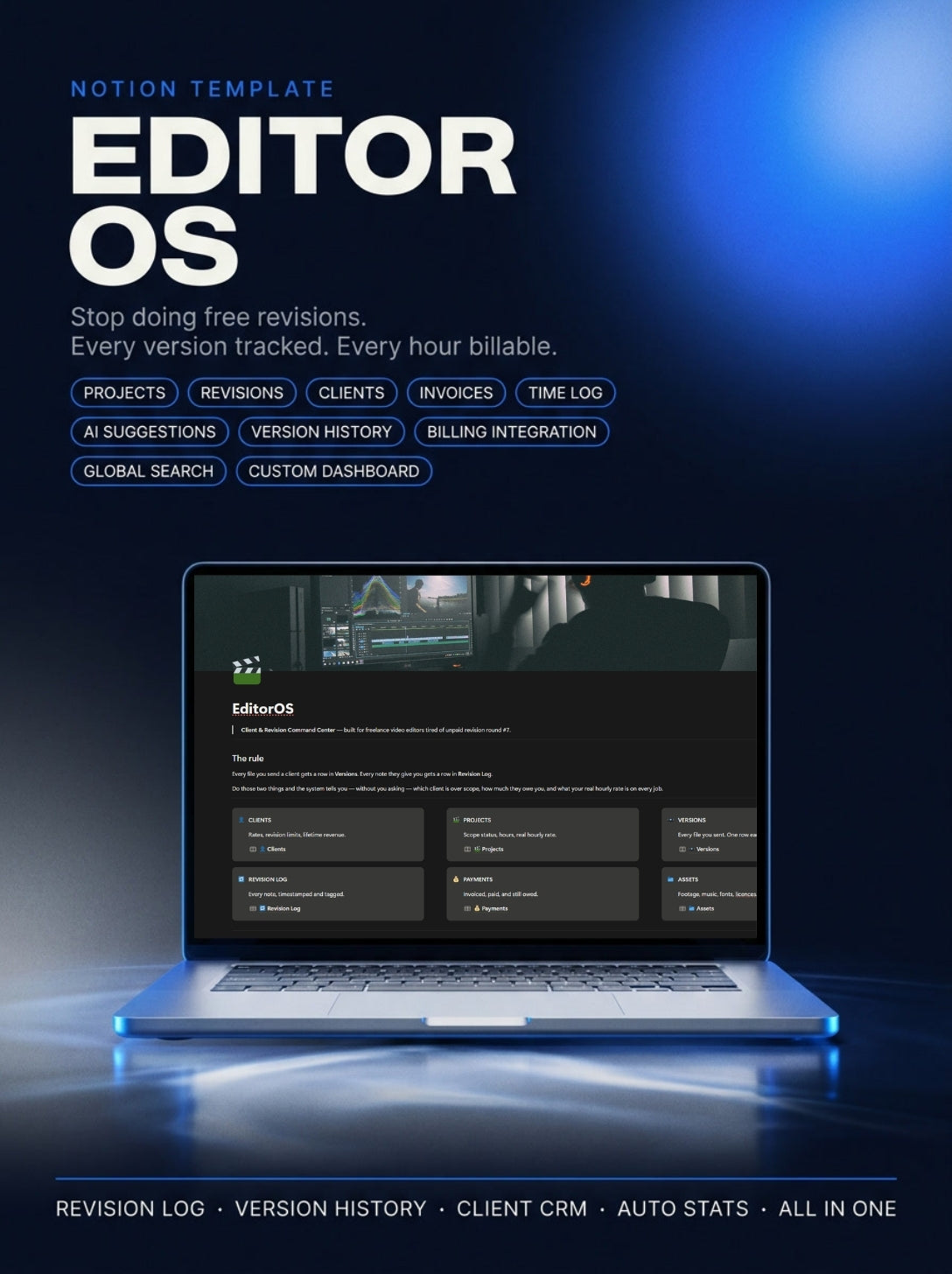
EditorOS logs every revision, every version, every hour. So you know which client is eating your profit, and when to start charging for it.
Couldn't load pickup availability
Safe payment on our website

| US Men | US Women | UK | EU | CM | Inches |
|---|---|---|---|---|---|
| 4 | 5 | 3.5 | 36 | 22.1 | 8.7 |
| 4.5 | 5.5 | 4 | 36.7 | 22.5 | 8.9 |
| 5 | 6 | 4.5 | 37.3 | 22.9 | 9 |
| 5.5 | 6.5 | 5 | 38 | 23.3 | 9.2 |
| 6 | 7 | 5.5 | 38.7 | 23.8 | 9.4 |
| 6.5 | 7.5 | 6 | 39.3 | 24.2 | 9.5 |
| 7 | 8 | 6.5 | 40 | 24.6 | 9.7 |
| 7.5 | 8.5 | 7 | 40.7 | 25 | 9.8 |
| 8 | 9 | 7.5 | 41.3 | 25.5 | 10 |
| 8.5 | 9.5 | 8 | 42 | 25.9 | 10.2 |
| 9 | 10 | 8.5 | 42.7 | 26.3 | 10.4 |
| 9.5 | 10.5 | 9 | 43.3 | 26.7 | 10.5 |
| 10 | 11 | 9.5 | 44 | 27.1 | 10.7 |
| 10.5 | 11.5 | 10 | 44.7 | 27.6 | 10.5 |
| 11 | 12 | 10.5 | 45.3 | 28 | 11 |
| 11.5 | 12.5 | 11 | 46 | 28.4 | 11.2 |
| 12 | 13 | 11.5 | 46.7 | 28.8 | 11.3 |
| 12.5 | 13.5 | 12 | 47.3 | 29.3 | 11.5 |
| 13 | 14 | 12.5 | 48 | 29.7 | 11.7 |
| 3.5 | 14.5 | 13 | 48.7 | 30.1 | 11.9 |
| 14 | 15 | 13.5 | 49.3 | 30.5 | 12 |
| 15 | 16 | 14.5 | 50.7 | 31.4 |
12.4 |
Give your customers further information about choosing the correct size.
No technical skills. No setup headaches. Just five steps.
You make the decision. One click, one payment. No subscription, no renewal, no upsell. You own it.
The moment your order is confirmed, your Notion link arrives in your inbox. No waiting, no manual approval.
Open the link, hit Duplicate, and the whole system lands in your Notion workspace. Six connected databases, already built. Your workspace, your data, from that second on.
Open "Start Here" and follow six steps: your rate, your revision limit, your first client. Fifteen minutes, once, and you never do it again.
The next time a client sends notes, you log one line. The round count, the scope status, and what they owe you calculate themselves. The first time it flags a billable round, the template has already paid for itself.

You'll never have to say "trust me, this is round four." Why?
Each client note becomes a dated row tied to a version and a round number. So when you tell them this is round four, you're reading from a record — not making a claim they can argue with.

Two numbers you've never seen for your own work.
Owed Extra shows the money you've already earned but never invoiced. Effective Rate shows what the job actually pays per hour once the real time is in. Most editors have never seen either number for their own work.

No more counting rounds from your file names at 2am.
Every export gets a round number and a link. The count exists on its own, so you're never reconstructing it from your file names at 2am.

Who owes you what, on one screen.
Invoiced against paid, tied to each project, with the gap calculated for you. No cross-referencing your bank against your memory.

Set the terms once. Every project inherits them.
Rate, revisions included, and revision rate live on the client. Every new project inherits them, so the agreement is in place before the work starts.

The file you need, where you'd look for it.
Links stored next to the work they belong to, so the file you need is where you'd look for it.
Every question you have — answered honestly.
$49.99 isn't nothing. Fair.
But one unpaid revision round costs you $120–300. Building this yourself costs a weekend you could have billed. And a year of not knowing your real hourly rate — you don't get that back.
Open the demo data before you decide. Hale Fitness sits at round 4 of 2 included, $240 uninvoiced. Calculated, not typed in. That's one project, and it's already more than the template costs.
If it's not worth it, full refund within 14 days.
Most people who buy a Notion template do exactly that. Fair worry.
But there's no setup here beyond typing your rate and your revision limit. The formulas are already built — you don't write one. And the daily habit is two lines: the file you sent goes in Versions, the note they gave you goes in Revision Log. That's it. Everything else calculates itself.
Open it and you'll find five projects already running, mid-mess, with the numbers filled in. You're not staring at an empty template wondering where things go — you're looking at a working example you can copy.
If you open it and it still feels like work, full refund within 14 days.
Some won't. That's real, and no template changes it.
But right now you're asking without evidence — "I think this is round four" is an opinion they can argue with. With a dated log tied to versions, it isn't a claim anymore, it's a record. Most clients aren't refusing to pay; they genuinely don't realise how many rounds they've asked for.
And even when a client says no, you haven't lost. You now know that client costs you $18 an hour instead of the $60 you thought — which tells you what to charge next time, or whether to keep them at all.
If it doesn't change anything for you, full refund within 14 days.
You're buying from one person, not a company with a support desk. Fair thing to check.
That's also the answer. You're emailing the person who built the thing, so you get a fix and an explanation of what went wrong, not a ticket number. And Notion keeps deleted pages in Trash for 30 days, so most "I broke it" moments are a two-click undo.
You also keep your original copy. If a formula ever gets mangled beyond repair, duplicate a fresh one and carry on — your data stays in yours.
And if none of that satisfies you: full refund within 14 days, no explanation needed.
There are, and some are decent. Worth asking.
But free templates give you tidy boxes to type into — a client list, a project list, a place for notes. They store what you already know. Nothing in them tells you that this client is at round four of two, or that the job you're proud of pays $18 an hour. The whole point here is the arithmetic you'd never do by hand.
And the part no free template includes: what to actually say. Five scripts and a contract clause for the moment you have to tell a paying client that the next round costs extra. That's the hard part, and it isn't a database.
Try the free ones first if you want. If you come back and this still isn't worth it, full refund within 14 days.
That's exactly why you're drowning. Not a dodge — it's the actual mechanism.
Setup is fifteen minutes, once. After that it's two lines a day: the file you sent, the note they gave you. That's less time than you already spend scrolling back through email trying to remember what version they were reacting to.
And it's not another place to check. It replaces the tab-hopping — no scanning your inbox for the brief, your Drive for the export, your bank for what's unpaid. One page, top to bottom, then close the laptop.
If it costs you more time than it saves, full refund within 14 days.
Reasonable thing to check before paying for something that sits inside another app.
Notion's free plan runs all of it — databases, formulas, relations, rollups, every view. Nothing here needs an upgrade for one person. Works in the browser, on desktop, on your phone, same account.
It also doesn't ask you to move anything. Your exports stay in Drive or Dropbox, your cuts stay in Premiere or Resolve, your review links stay in Frame.io. EditorOS stores the links and the round count — it isn't trying to replace your pipeline.
And it's your workspace. Duplicate it and the copy is yours, offline export included, whether or not you ever hear from me again.
If it doesn't fit how you work, full refund within 14 days.
This isn't a marketing trick. The launch price is going up to $79.00 soon — grab it now while it's still $49.99.
The launch window is closed. EditorOS is now at its regular price — full system, same lifetime access, same updates.
14-day money-back guarantee. Open it, set it up, run a real project through it. If it doesn't change how you handle revisions, email me for a full refund. No questions, no explanation needed.
Set it up once. The next time a client sends notes, the count keeps itself.
Safe payment on our website